If you’ve spent any time around CNC milling machines—whether you’re running a shop floor, managing a small manufacturing business, or just obsessing over how parts get made perfectly every single time—you’ve probably heard folks toss around “remote monitoring” like it’s some fancy new tech only for big corporations with endless budgets. Here’s the thing: it’s not that complicated. And as a CNC milling machine supplier, I see it every day how guys who used to pull all-nighters just to check if a job was running are now using this to actually go home on time. Let’s break it down, no jargon, promise. CNC Milling Machine
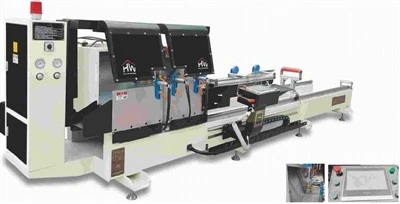
First, let’s get super basic: remote monitoring for a CNC milling machine is literally using internet-connected tools to keep an eye on your machine without being right next to it. Think of it like a baby monitor, but for a $50k piece of metal-munching gear. You don’t have to walk over to the shop to confirm that the 10-hour aluminum part is still cutting, or that the spindle isn’t overheating, or that it didn’t just throw a code because a tool feeder jammed. All you need is your phone, laptop, even a tablet, and you can check in from your house, a coffee shop, or even while waiting for your kid’s soccer practice to end.
Wait, but what exactly does it track? I get that the first question everyone has is, “Is this just a fancy camera?” No, not exactly. Cameras are part of it, but they’re like the cherry on top. The actual monitoring happens through data that the machine’s controller spits out—stuff it already generates, by the way, you just never had a way to send it to your phone before. Let’s run through the key metrics, the ones that actually matter: spindle speed and load. That’s the big one. If your spindle is spinning way too fast for the material it’s cutting (say, hard titanium instead of soft plastic), it’ll wear out in days, not months. Remote monitoring flags that before it ruins a $200 end mill, or, worse, burns out the spindle which costs thousands to replace.
Then there’s tool wear and breakage. Oh, tool breakage is the worst, right? You set up a perfect job, step away for 15 minutes, and when you come back half the part is scrap because a drill bit snapped and no one noticed. Remote monitoring tracks the current draw when a tool is cutting—if a sharp drill pulls X amount of amps, a dull one pulls more, a broken one pulls way less. So it can send you an alert the second it happens, not after you walk over. I’ve seen shops lose thousands in scrap because they missed a tool breakage—this stops that cold.
Next, cycle times and production progress. If you have a job that’s supposed to take 8 hours, you can check in every few hours to see where it’s at. No more calling the shop to ask “is job 412 done yet?” That’s huge for scheduling the next job, or letting your customer know when their part will ship. And it’s not just about progress—this data stacks up over time, too. Like, you might notice that every time job 107 runs on Machine 3, it takes 10% longer than it should. That’s not a random quirk—maybe the spindle is slowly losing power, or there’s a part of the machine that needs maintenance. Catching that early avoids a total breakdown mid-job.
Coolant temperature and level. CNC mills need consistent coolant to keep the tool and part from overheating—too hot, and you get bad surface finishes, or even tool damage. Too low, and the coolant won’t do its job. Remote monitoring tracks both, so you don’t show up to work Monday morning to find the coolant tank empty and the spindle seized. Spindle and axis vibration, too—excess vibration means something’s off, like a loose clamp, a worn bearing, or the tool isn’t seated right. That’s a quick fix if you catch it early, but a total disaster if it ruins a perfectly good part.
Oh, and error codes and alarms. The machine’s controller throws codes for everything—jammed door, failed servo motor, communication error. Remote monitoring sends those alerts straight to your phone, often with a quick note of what to check. You don’t have to be a CNC tech to figure out most of these—if the alert says “tool break detected in spindle 1,” you just go swap the tool, no need to troubleshoot for 20 minutes.
Now, let’s talk about how it actually works, because you might be thinking “my machine is 10 years old, can it do this?” Short answer: yeah, probably. You don’t need a brand new $100k mill for remote monitoring. There are two main ways to hook it up, depending on your machine. For newer machines (last 5-10 years), they usually have an Ethernet port built right into the controller—you just plug in a small module, or even use the controller’s built-in connectivity, and boom, you’re sending data to the cloud. For older machines, no Ethernet? No problem. You can add a small, affordable sensor kit that clamps onto the spindle, tracks vibration and current, and sends that data to the cloud. We sell both solutions, by the way—no pressure, just telling you what’s possible.
Wait, but is it safe? That’s the next big question I get, and I get it—you’re sending all this machine data over the internet, so you’re worried about hacking, right? Here’s the thing: we build our monitoring systems with the same security as online banking. Data is encrypted end-to-end, so only you and the people you give access to can see it. No random person is going to log into your machine to mess with it. And if you’re super paranoid, you can even set up a local network connection so the data never leaves your shop’s Wi-Fi—no cloud required, if that’s more your style. I’ve been in this game for 12 years, and I’ve never heard of a single issue with security from these systems.
Now, let’s get real about why this matters for you, not just some random tech trend. Let’s say you run a small shop with 2 CNC mills, and you have two guys running them during the day. Before remote monitoring, if one of the mills had a problem at 2 a.m. (like a power blip that made it stop mid-job), you wouldn’t know until you showed up at 7 a.m. That 8-hour gap? That’s 8 hours of lost production, a scrap part, and a customer upset because their order is late. With remote monitoring, that problem would send you a text the second it happens, even if you’re on vacation. You could send a quick text to your part-time night guy, or even fix it yourself from the hotel if it’s something simple.
Or, let’s say you’re a one-person operation. You run your mill during the day, and you want to do small jobs at night to make extra cash. Before remote monitoring, you’d have to set up a job, stay there for an hour to make sure it starts, then maybe come back every few hours to check on it. That cuts into your time, and if you have to run errands or pick up the kids, you can’t just leave the machine running alone. With remote monitoring, you set the job, lock the door, and go—you’ll get an alert if anything goes wrong, so you don’t have to hover.
Another big one: predictive maintenance. This is the stuff that saves you the most money in the long run. Instead of waiting for a part to break and having to shut down production for 3 days and pay for a $2,000 replacement part, remote monitoring tracks data over time to tell you when a bearing is starting to wear, or a servo motor is getting weak. So you can schedule maintenance during a slow period, not when you have a rush job, and avoid costly unplanned downtime. I had a customer last year with a 10-year-old VMC—they were spending $15k a year on emergency repairs because they never caught issues early. After installing our monitoring system, they cut that repair cost by 70% in 6 months, just by fixing small things before they became big problems.
Wait, but what about the cost? Let’s be honest—no one wants to drop $10k on a new system just to monitor their mill. The good news is it’s way more affordable than you think. For a basic system, you’re looking at a few hundred bucks for the hardware, plus a small monthly subscription (like $20-$50 a machine) for the cloud access and alerts. That’s way less than the cost of one scrap part, or one day of downtime, which can run into thousands. And if you’re buying a new CNC mill from us, we throw the basic monitoring kit in for free—no extra charge, because we think it’s a game-changer for our customers.
Let’s also bust some myths here, because I hear them all the time. Myth #1: “Remote monitoring means I don’t need anyone on the shop floor.” No, that’s not what it is. It’s a tool to make your life easier, not replace your team. You still need someone to load parts, change tools, fix physical issues—but you don’t need to be tied to the shop 24/7. Myth #2: “It only works for big jobs.” No, it works for small jobs too. Even if you’re running a 1-hour part, you can get an alert if it’s done early, or if there’s a problem mid-job. Myth #3: “It’s too complicated to set up.” We walk you through it step by step—most setups take less than an hour, even for people who aren’t tech-savvy. Our team will help you connect it to your machine, set up alerts, and show you how to check things on your phone. No coding, no advanced degree required.
I’ve seen remote monitoring turn around so many small shops. There’s a guy I know in Ohio who runs a 3-machine shop making custom aerospace parts. Before he got monitoring, he was working 60-hour weeks, always playing catch-up. Now, he checks in on his mills once a day, gets alerts only when something actually goes wrong, and just hired two more guys because his production went up 40% without him working more hours. Another customer in Texas runs a job shop for automotive parts—they had a major order delayed last year because a mill broke down unexpectedly, costing them $25k in late fees. After installing monitoring, they haven’t had that kind of issue since.
At the end of the day, CNC milling is all about consistency and reliability. If your machine is down, you’re losing money—plain and simple. Remote monitoring isn’t a flashy gimmick; it’s a way to make your operation more efficient, less stressful, and more profitable. It lets you stop being a slave to your shop’s location, and start being in control of your production, no matter where you are.
If you’re curious about how it would work for your setup—whether you have a 5-year-old mill or a 15-year-old one, whether you have 1 machine or 10—we can walk you through the options. No sales pitch, no pressure, just honest answers. We’re CNC milling machine suppliers, first and foremost, and we don’t sell gear that doesn’t make our customers’ lives easier. Remote monitoring isn’t for everyone, but for most guys running a CNC operation, it’s worth checking out.
Ready to stop hovering over your machine and start working smarter? Reach out to our team, and we’ll break down exactly what you need, no fine print, no hidden fees. Let’s make your shop run better, together.
Aluminum Profile Drilling Machine References
- CNC Machine Tools. (2022). Remote Monitoring for Milling Operations: A Practical Guide. Manufacturing Engineering Magazine.
- Smith, J. (2023). Cost-Benefit Analysis of CNC Remote Monitoring for Small to Medium Manufacturers. Journal of Industrial Technology.
- Davis, L. (2021). Cybersecurity for Connected Industrial Equipment: Best Practices for Machine Tool Operators. Industrial Cyber Security Review.
- Global Manufacturing Insights. (2023). Predictive Maintenance Using CNC Machine Data: Case Studies and ROI. Manufacturing Executive Report.
- CNC Machine Connectivity Alliance. (2022). Compatibility of Remote Monitoring Systems with Legacy CNC Equipment. Technical Brief, CNC Machine Tools Association.
Kanghong Building Materials Technology Sdn. Bhd.
As one of the most professional CNC milling machine manufacturers and suppliers in China, we have world-leading production equipment and strong manufacturing capabilities. Please feel free to wholesale advanced CNC milling machine for sale here from our factory. Customized orders are welcome.
Address: No.601, Block 2, Xinlianchang Industrial Park, No.2 Taixing Second Road, Taiping South Industrial Zone, Dali Town, Nanhai District, Foshan City
E-mail: 631871392@qq.com
WebSite: https://www.kanghong-building.com/
